Mark the address with the frame
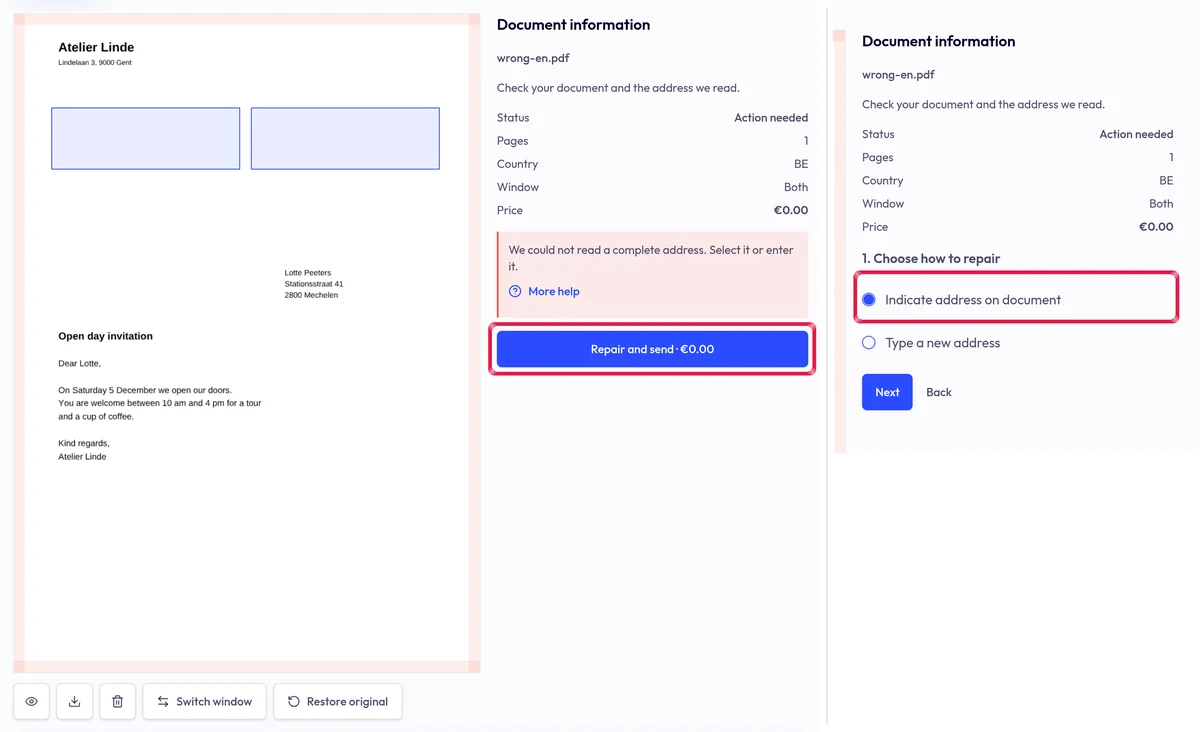
Upload your PDF. If we cannot read a complete address, you see Action needed: choose Repair and send, then Indicate address on document and Next.
Upload your PDF. If we cannot read a complete address, you see Action needed: choose Repair and send, then Indicate address on document and Next.
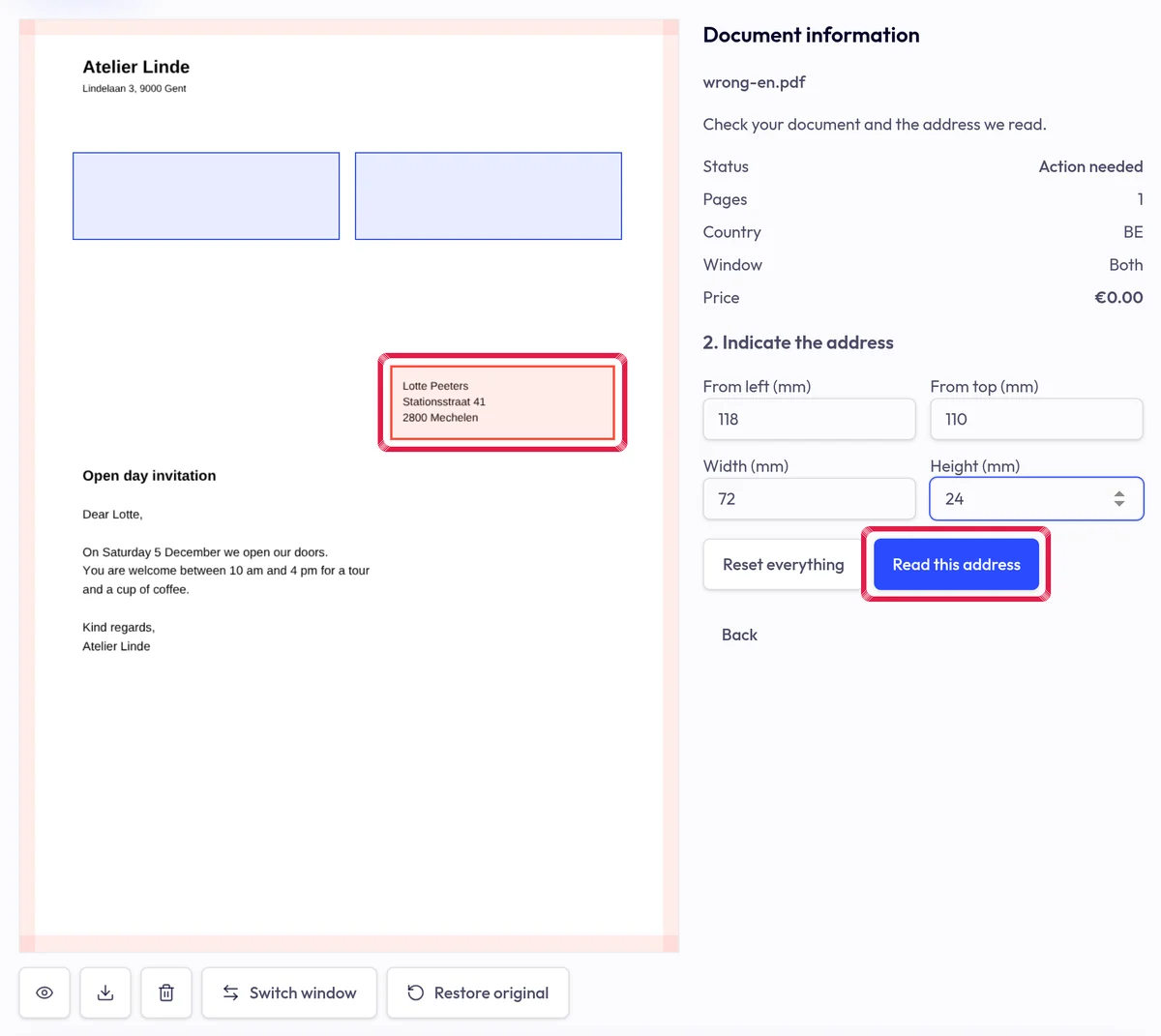
Highlighted area in the current portal, using fictional example data. Move the frame around the complete address. Adjust left, top, width and height in mm and choose Read this address.
Highlighted area in the current portal, using fictional example data. Check the extracted fields and choose an address sheet or page one. Repair and view the preview: the old area is white and the address sits in the window.
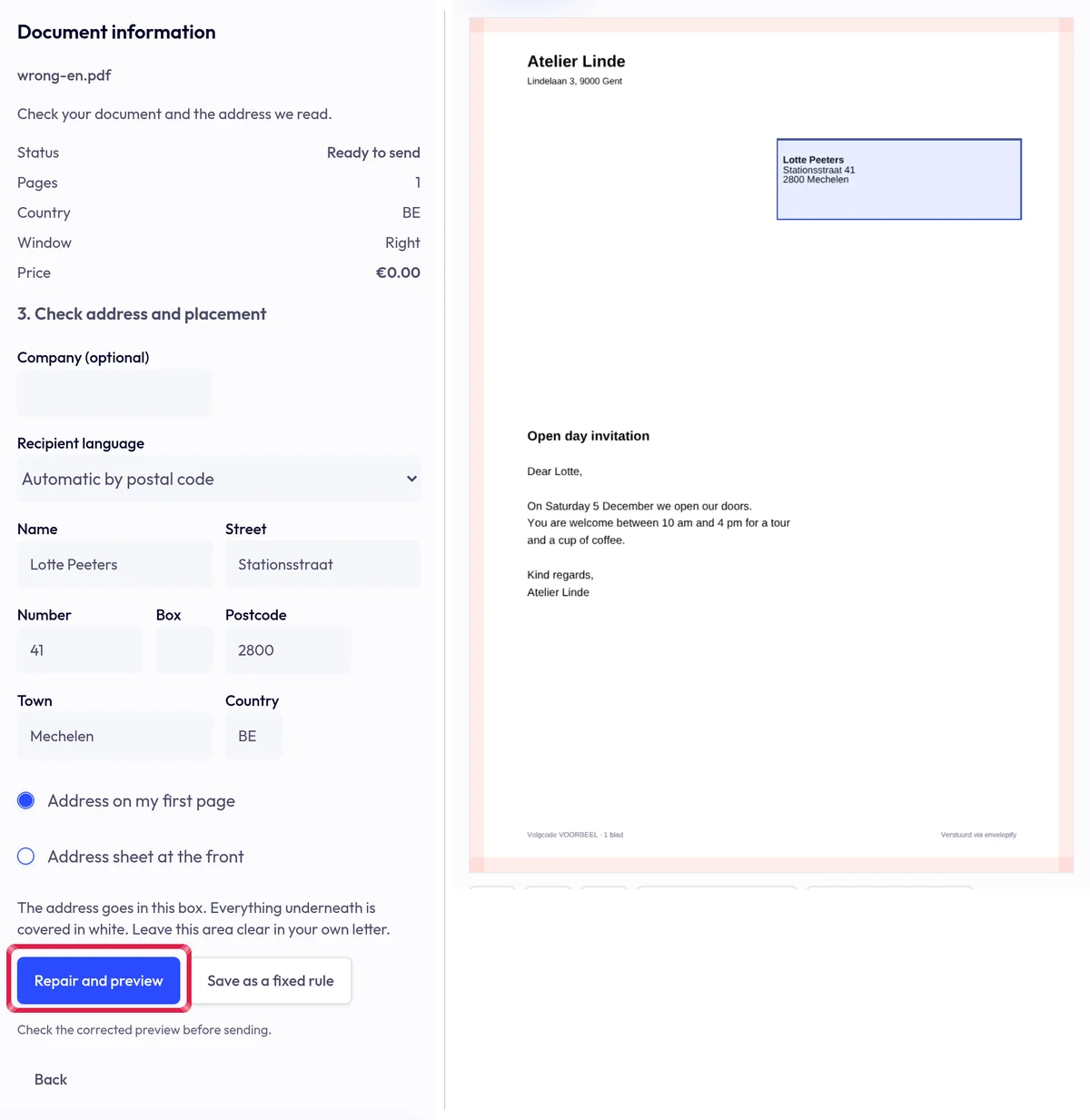
Highlighted area in the current portal, using fictional example data.