Type a new address
Choose Repair and send (or Repair address if an address was already read), then Type a new address and Next.
Choose Repair and send (or Repair address if an address was already read), then Type a new address and Next.
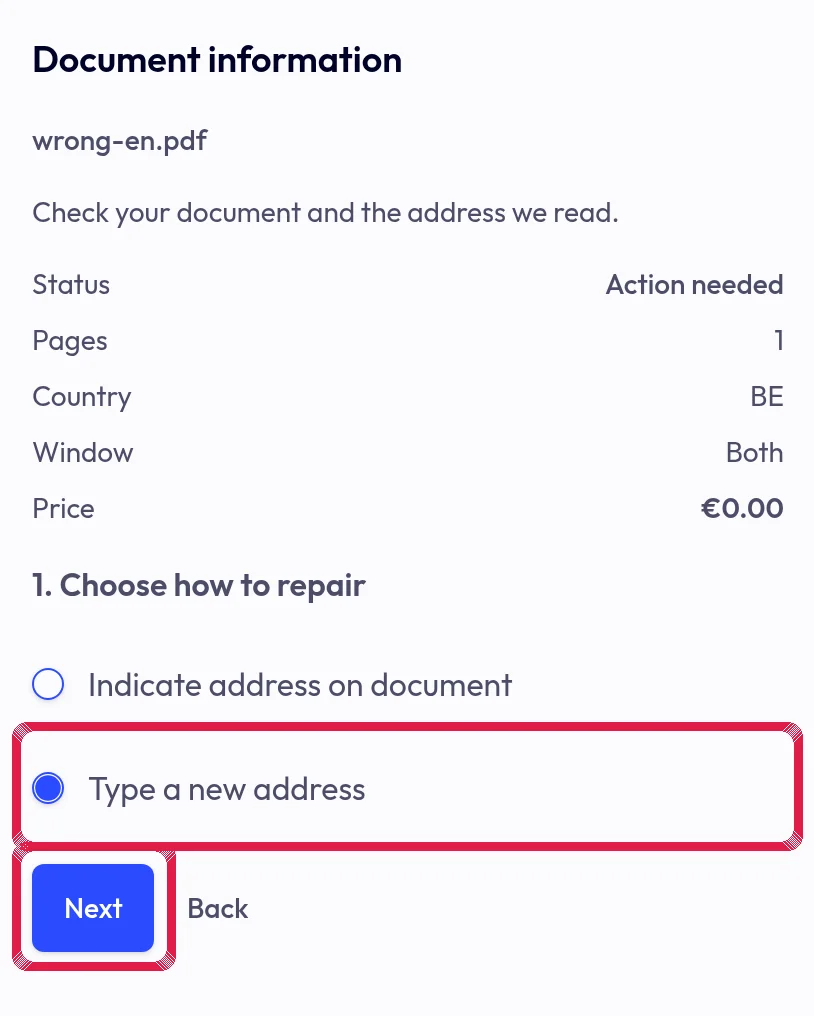
Highlighted area in the current portal, using fictional example data. Enter the complete address and check postcode, city and country. Continue when required fields are valid.
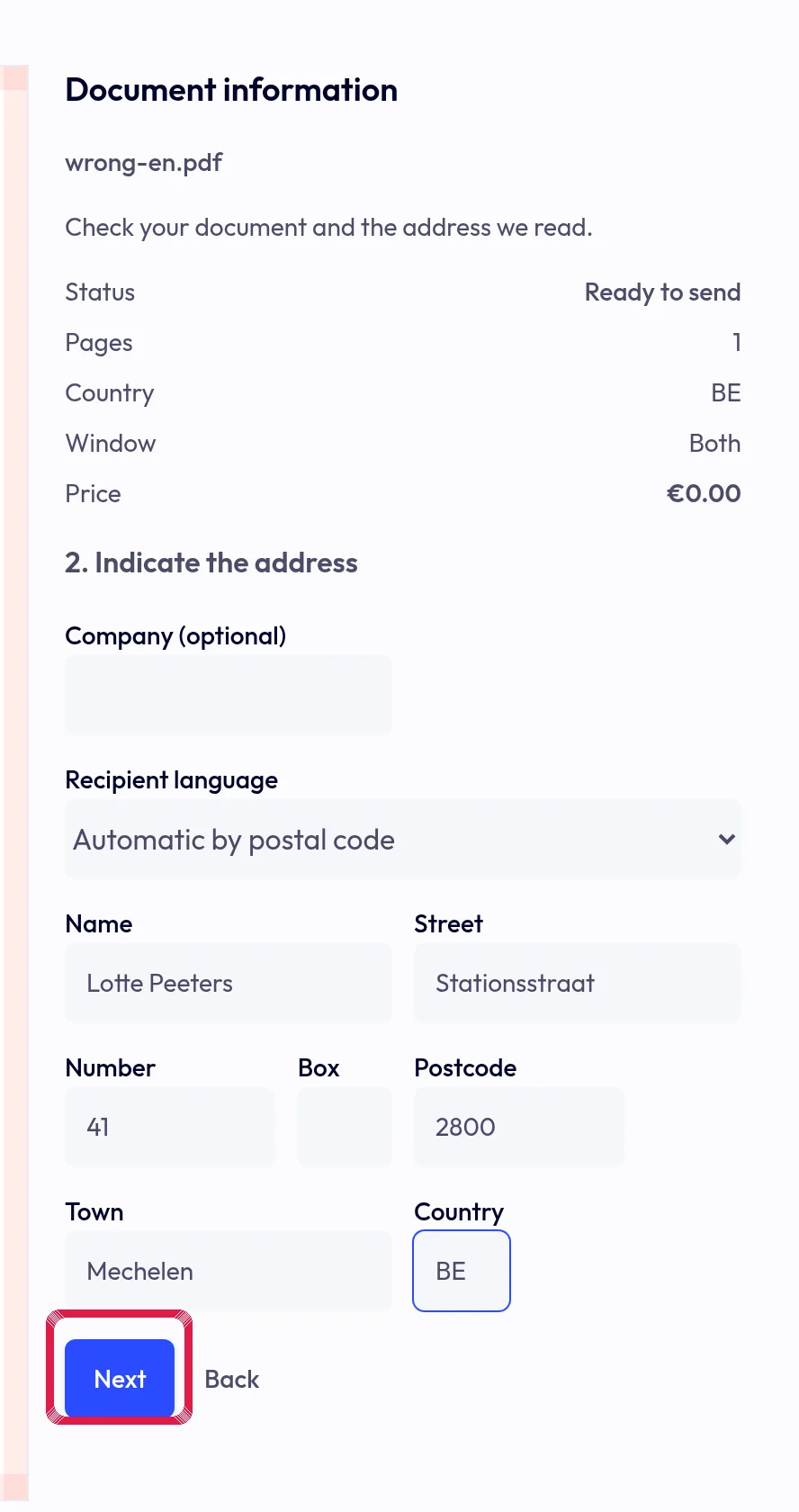
Highlighted area in the current portal, using fictional example data. Choose an address sheet or page one, then repair and preview. Typing alone does not mark the old address area: check for remaining address content and use the frame if needed.
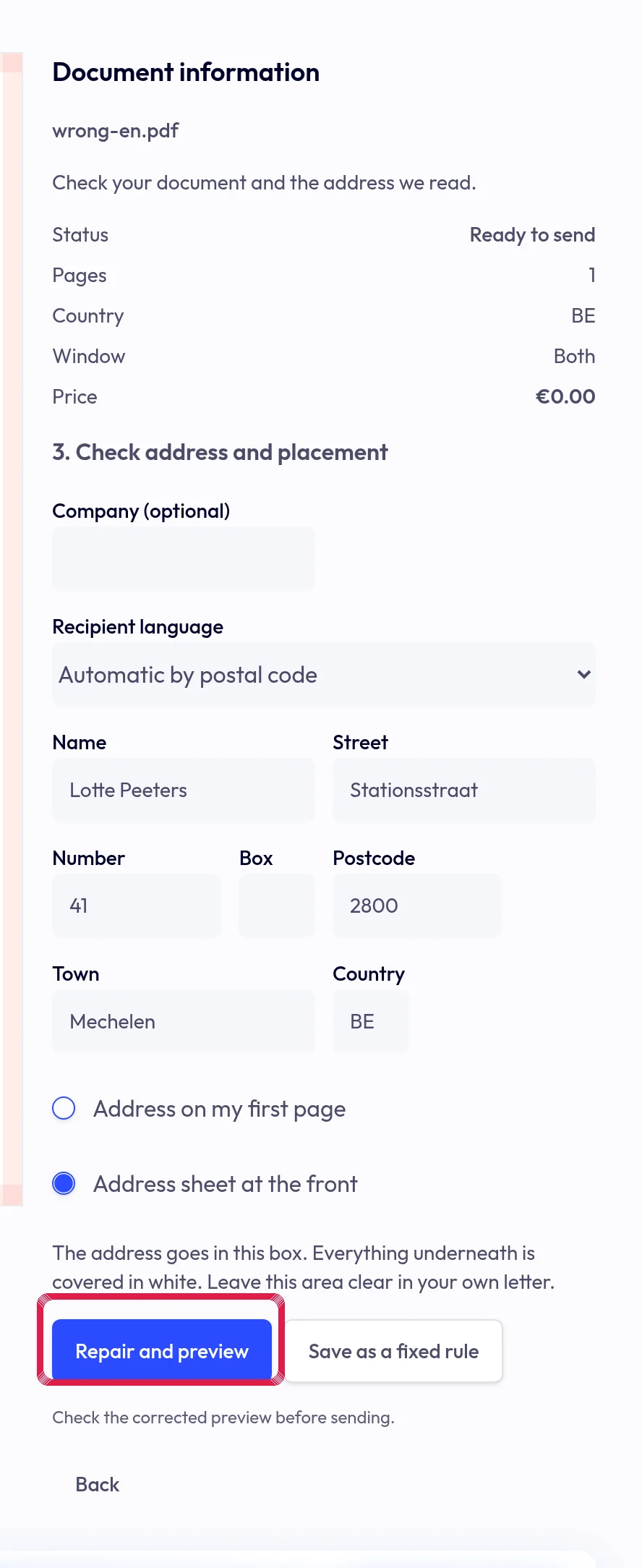
Highlighted area in the current portal, using fictional example data.