Save a reusable rule
Mark the address area and review the extracted address. Choose placement in the final repair step.
Mark the address area and review the extracted address. Choose placement in the final repair step.
Save a reusable rule if future PDFs share that layout. It saves the reading area and corrections, not one recipient address for every letter.
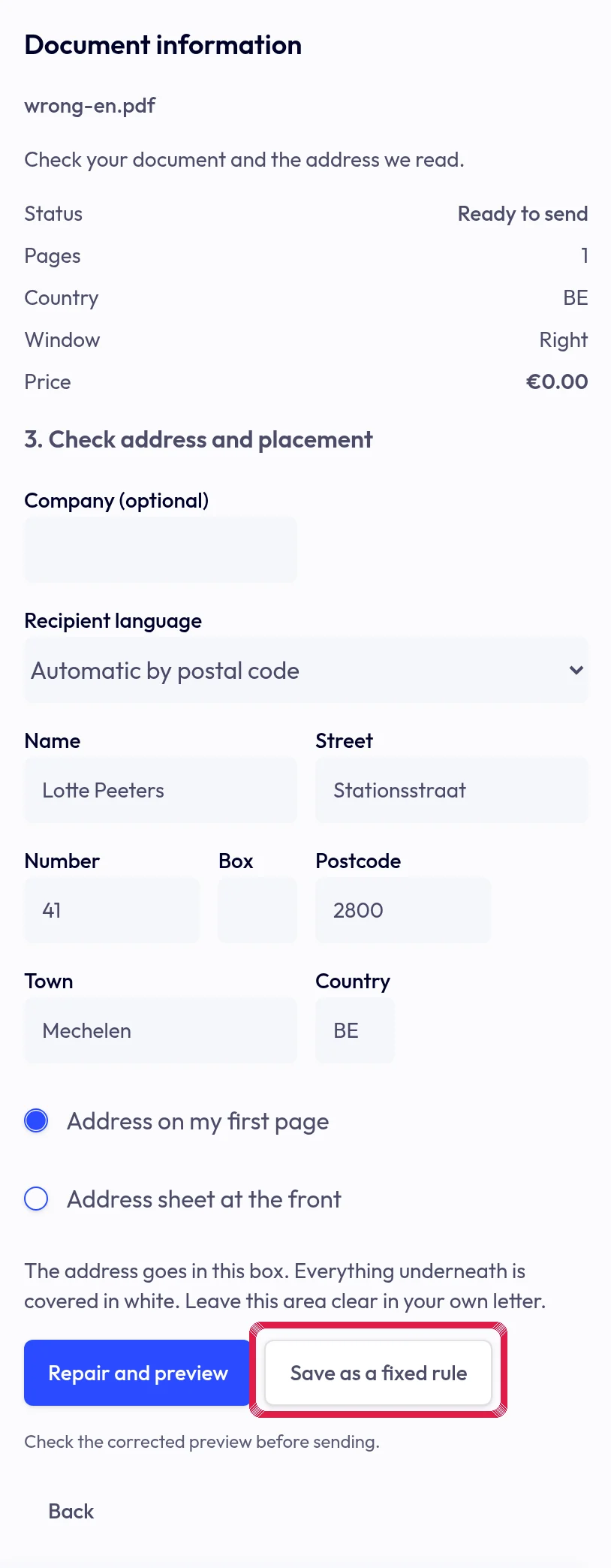
Highlighted area in the current portal, using fictional example data. Review it under Settings → Letters and branding → Automatic corrections. Check every new preview; Restore original there removes the saved rule.
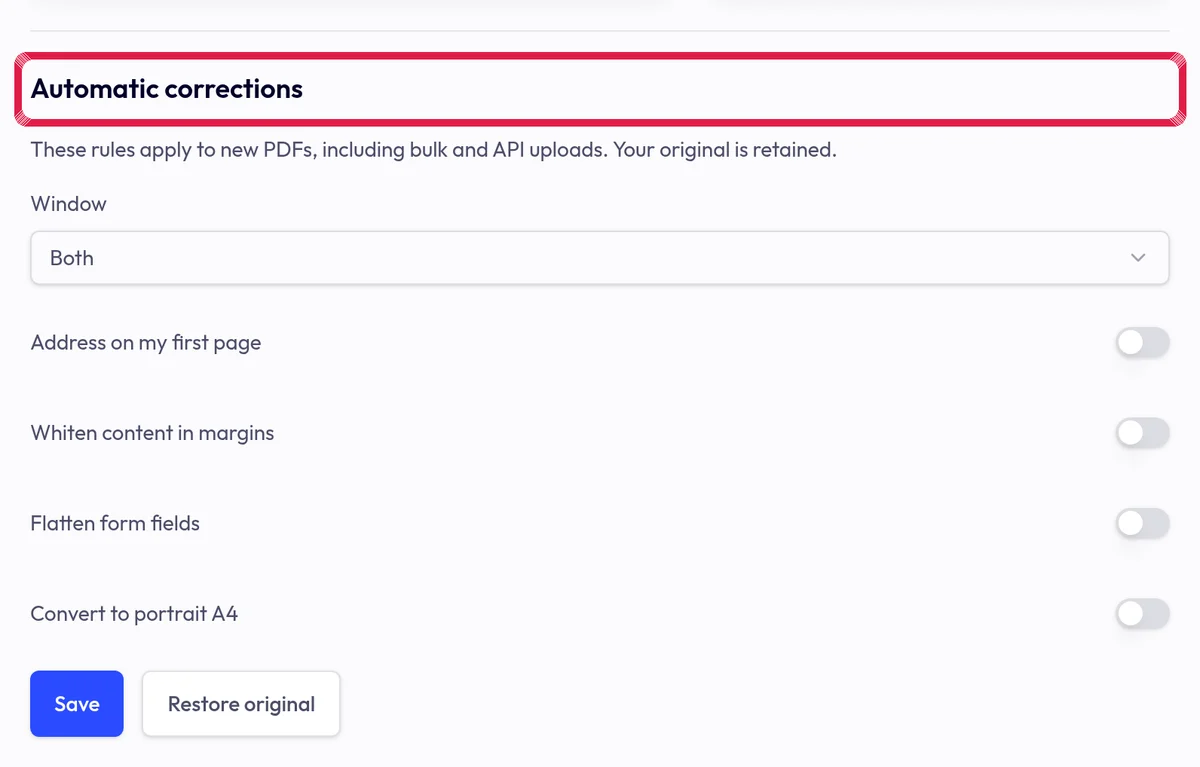
Highlighted area in the current portal, using fictional example data.